Thanks for joining the Euro Digital Partners Professional Training – Film and TV English course - 2026 cohort!
🎬 Thank You for Enrolling in the TV & Film English Course!
We’re excited to have you join our creative community! Your journey into TV & Film starts now. To help you stay organized, we’ve created a dedicated TV & Film Calendar 📅 that you can subscribe to, so you’ll never miss a class.
This calendar includes all main and repeat sessions, and it will automatically update if there are any schedule changes (usually with the Zoom link we have to update the links).
📌 Subscribe to Your TV & Film Calendar
👉 Calendar Link:
Subscribe to TV & Film Calendar
💻 How to Add the Calendar on Your Device
📱 iPhone / iPad:
Tap the calendar link above.
Choose “Add to Calendar”.
Select the calendar you want it added to (we recommend creating a separate calendar for TV & Film).
Done! Your course schedule will now appear automatically.
💻 Mac (Apple Calendar):
Open Calendar.
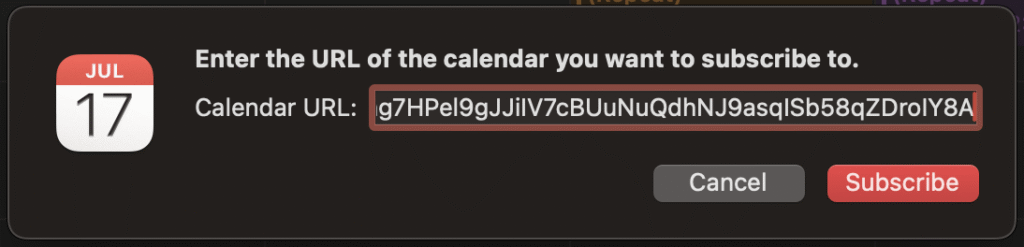
Go to File → New Calendar Subscription…
Paste the calendar link and click Subscribe.
Customize your preferences (we recommend auto-refresh).
All sessions will now appear and update automatically.
🤖 Android / Google Calendar:
Copy the calendar link.
Open Google Calendar on the web: calendar.google.com.
Click Other Calendars → Add by URL, then paste the link.
Your TV & Film course schedule will appear and stay updated.
💻 Windows / Outlook or other apps:
Copy the calendar link (right-clicking may be necessary).
Open your calendar app and choose Add Calendar by URL.
Paste the link and subscribe.
The schedule will now show up in your calendar automatically.
💡 Tips for Using Your Calendar
Keep it subscribed rather than just downloading — this ensures any updates or changes are reflected automatically.
Consider color-coding the calendar so you can quickly spot TV & Film sessions.
Check your time zone settings to make sure sessions appear at the correct local time.
Get ready to create, explore, and have fun in class!
— Sean & the entire Euro Digital Partners Professional Training Team