Thanks for joining the Euro Digital Partners Professional Training – Legal English course - 2026 cohort!
🎉 Thank You for Enrolling in the Legal English Course!
We’re thrilled to have you join our community of learners. Your journey to mastering Legal English starts now! To help you stay organized, we’ve created a dedicated Legal English Calendar 📅 that you can subscribe to, so you’ll never miss a class.
This calendar includes all main and repeat sessions, and it will automatically update if anything changes (Zoom meeting links do sometimes change).
📌 Subscribe to Your Legal English Calendar
👉 Calendar Link:
Subscribe to Legal English Calendar
💻 How to Add the Calendar on Your Device
📱 iPhone / iPad:
Tap the calendar link above.
Choose “Add to Calendar”.
Select the calendar you want it added to (we recommend creating a separate calendar for Legal English).
You’re done! Your course schedule will now appear automatically.
💻 Mac (Apple Calendar
Open Calendar.
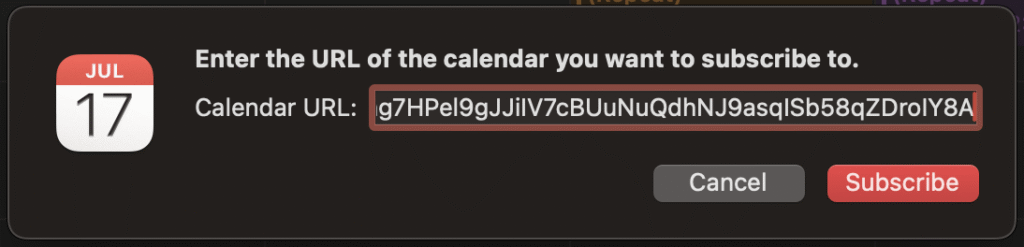
Go to File → New Calendar Subscription…
Paste the calendar link and click Subscribe.
Customize your preferences (we recommend auto-refresh).
All sessions will now appear and update automatically.
🤖 Android / Google Calendar:
Copy the calendar link.
Open Google Calendar on the web: calendar.google.com.
Click Other Calendars → Add by URL, then paste the link.
Your Legal English course schedule will appear and stay updated.
💻 Windows / Outlook or other apps:
Copy the calendar link (right-click may be necessary).
Open your calendar app and choose Add Calendar by URL.
Paste the link and subscribe.
The schedule will now show up in your calendar automatically.
💡 Tips for Using Your Calendar
Keep it subscribed instead of just downloading it once — this way, any updates or schedule changes will automatically appear.
Consider color-coding the calendar so you can easily spot Legal English sessions at a glance.
Check your time zone settings to make sure sessions appear at the correct local time.
We can’t wait to see you in class!
— The Legal English Team